

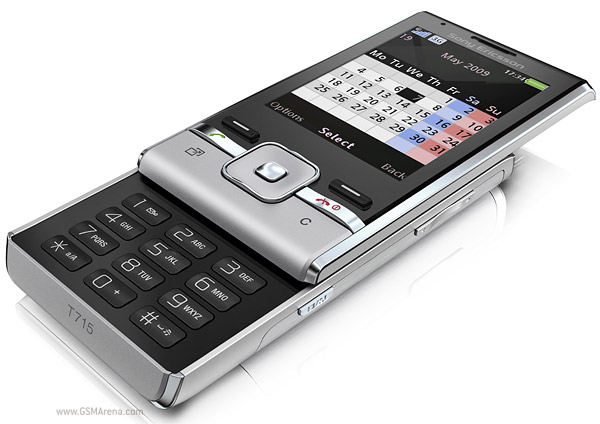
Tools required: Torx 6 screwdriver, Phillips screwdriver, plastic tool such as a guitar plectrum or credit card.


- Remove your back cover, battery, sim and memory card. Four screws need to be removed, circled below.
- Run something like a credit card all the way around the join of the battery compartment to release it from the rest of the phone.
- With the battery compartment removed your phone should look like below. Now remove the four circled screws.
- Now lift the aerial away from the phone. It will come away with little force.
- Starting from the bottom, lift the circuit board away from the phone. It will still be attached by a ribbon cable. To release the ribbon, look closely at the socket, which is circled below, and you'll see a black latch. Flick this over and you'll then be able to pull the ribbon away from the socket.
- With the circuit board removed your phone should look like below. Now remove the two circled screws.
- Now pull the slide and the main body of the phone away from each other. The parts will separate without force and your phone will then look like below.
- Two screws are covered by a large blue sticker. To remove the sticker, slide something like a credit card underneath and gently peel it back, as shown below.
- Remove the two screws circled below.
- Run your plastic tool along the join of the front cover to release the clips that hold it in place. Do this on both sides of the phone.
- You should now have the front cover removed.
- Lift the keypad part up slightly to access another ribbon and connector.
- Below is a close up shot of the ribbon and connector. Again, you release the ribbon by flicking the black latch back.
- Now lever the screen up from the top left or top right corner and pull it away from the phone. The ribbon from the screen, which you opened the latch for in the last stage, will then release.
- You should now have the LCD screen removed. Reverse the whole procedure for reassembly. Once you've repaired your phone, protect it against future damage, breakdown or theft from only 5p per day with insurance specialists, ProtectYourBubble.


Tidak ada komentar:
Posting Komentar